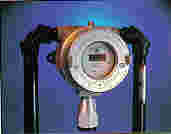
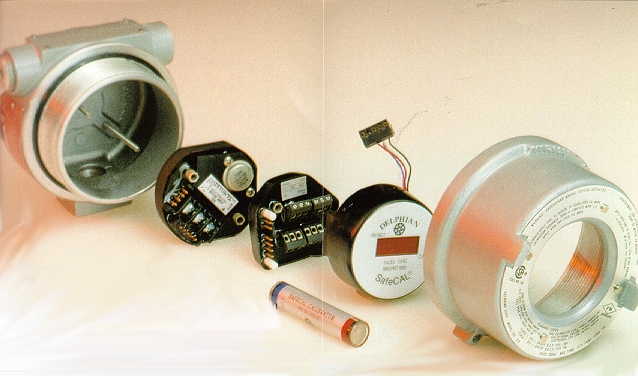
The SafeCAL gas monitor consists of two water and shock-resistant epoxy encapsulated modules, the transmitter and a processor/display. These deceptively simple components contain a microcontroller, surge and brownout protected high efficiency electronics, RFI protection, ample system memory and all necessary digital and analog circuitry. SafeCAL GAS MONITOR ACCESSORIES The SafePRO (SafeCAL programmer) HOW TO INSTALL A SafeCAL Gas Monitor
HOW TO CALIBRATE A SafeCAL
Gas Monitor Calibration of a gas detector fitted with SafeCAL is quick and simple. Various checks are performed by SafeCAL during calibration to prevent most errors that could cause improper calibration. The display is used to guide the calibration. During calibration the output current is held at a fixed level to prevent alarms. All SLAM alarm relays are reset and held off. The Delphian calibrator is required to initiate calibration. Calibration is started by momentarily placing the Zero end of the calibrator over the CAL mark near the display. ZERO calibration requires that the sensor be exposed to clean air. The best way to assure accurate ZERO calibration is to apply a source of clean or zero air to the sensor. Once this is done calibration can be initiated by touching the ZERO end of the calibrator to the conduit box window over the designated CAL point. The display will first respond by stepping the letter C from left to right. After a short delay, the display will show C 0. This indicates successful ZERO calibration and readiness for SPAN calibration. Remove the clean air source and apply the span gas of the appropriate concentration. Touch the SPAN end of the calibrator to the CAL point on the window. The display will first respond by stepping the letter S from left to right. After a delay which depends on the type of sensor being used, the display will read Cxxx, where xxx is the concentration of the calibration gas. This indicates successful SPAN calibration. NOTE: When a
transfer factor
is programmed into SafeCAL, the display will show the concentration of the calibration gas
multiplied by the transfer factor. For instance, if your SafeCAL is programmed to detect
propane and is calibrated with 50% L.E.L. methane, the display will read C 65 instead of C
50 (the transfer factor for propane is 1.30). Once the span calibration has been completed, remove the span gas. The ambient gas concentration is being displayed and as soon the gas concentration is outside all alarm ranges, the display will step a dash from left to right while storing the results of the calibration in non-volatile memory. When the data has been successfully saved, the version number will flash 3 times, followed by the gas concentration value. The system is now operational with the new calibration parameters. Error conditions are indicated by displaying a flashing Exxx.
Stand Alone
Gas Detectors
Glossary
of Gas Detection Terms | Part
Numbers Copyright ©2023 Delphian Corporation, 220 Pegasus Avenue, Northvale, N.J., U.S.A. |
|||||||||||